A family organiser app for the people you live with.
Ethos keeps the jobs a household shares in one place: the school run, whose turn it is on the bins, what’s on the shopping list. Everyone sees the same thing on their own iPhone, and there’s no Ethos account to make.
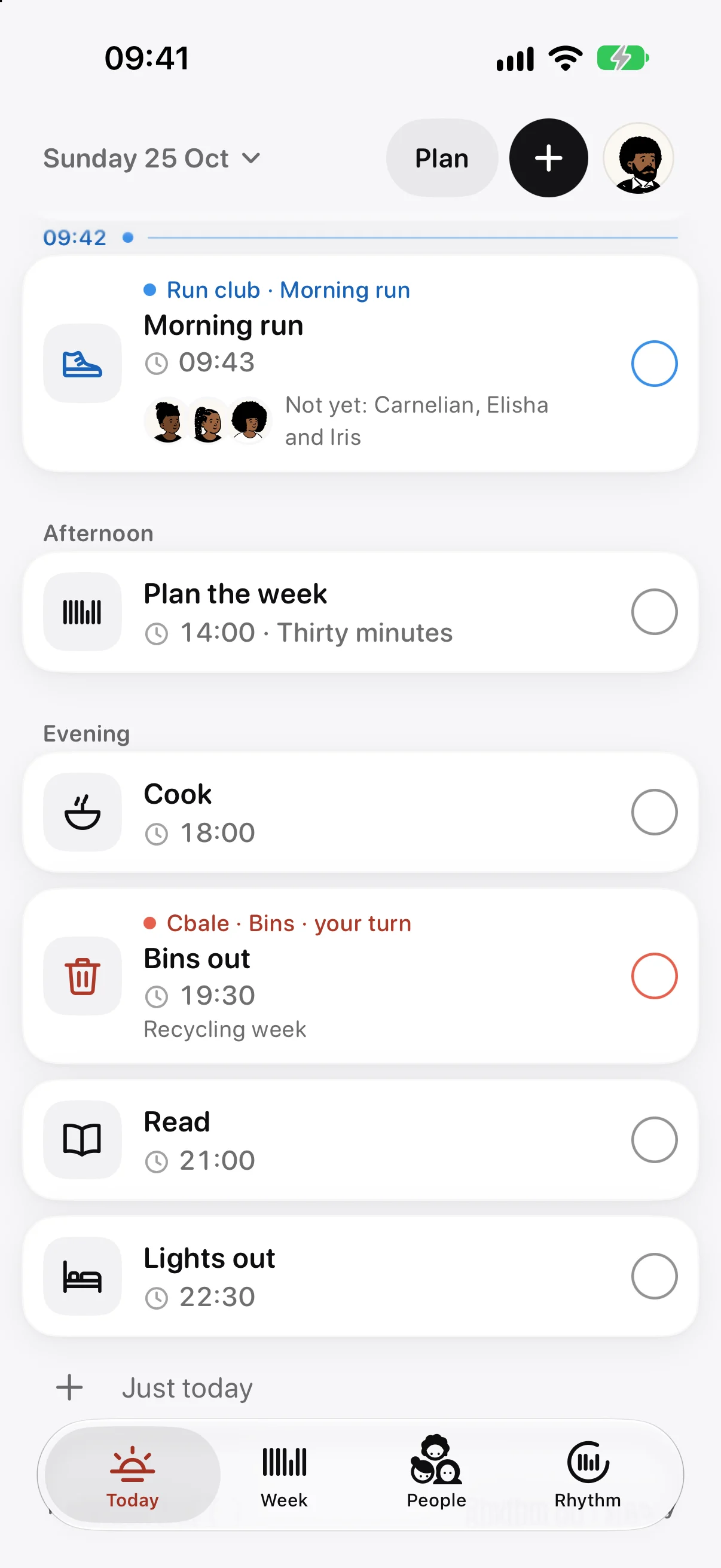

Built around the jobs that come back every week.
A home runs on small jobs that repeat. The bins go out on a Tuesday night. Someone does the school run. These aren’t appointments, so a calendar is an awkward place for them, and they aren’t one person’s to-do list either.
In Ethos they are shared routines. You make a group for your household, add its routines, and each one appears on Today for everyone in it, with a row of faces underneath. As each person ticks it, their face fills in, so you can see who has done their part without asking.
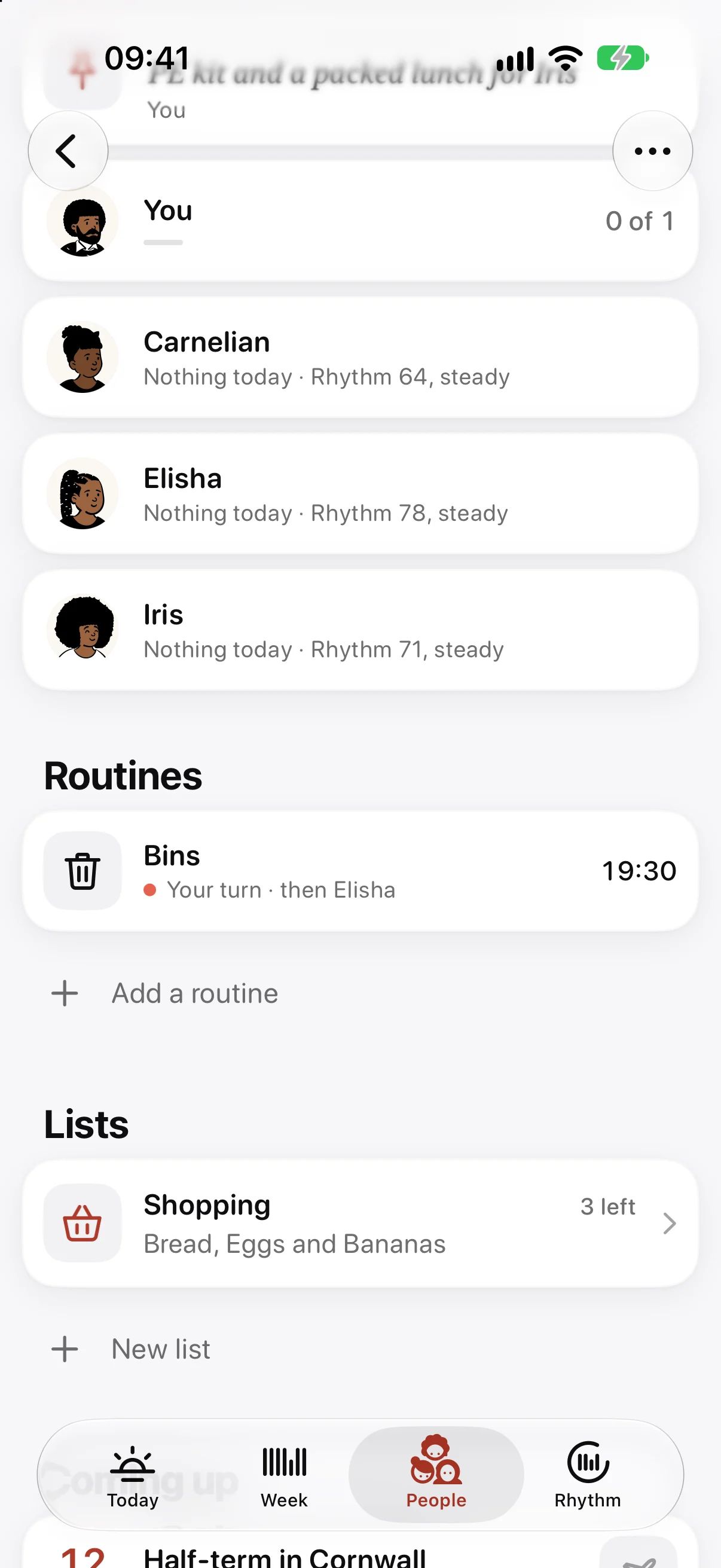
Turns, for the jobs that go round.
Some jobs belong to one person at a time. Set a routine to take turns, pick who’s on the rota, and tap them in the order it should go round. Ethos works out whose turn it is, day by day or week by week, and only that person sees the job on their Today.
Everyone else sees a short line under it, like “your turn, then Elisha”. If someone is away, a turn can be passed on, skipped or swapped.
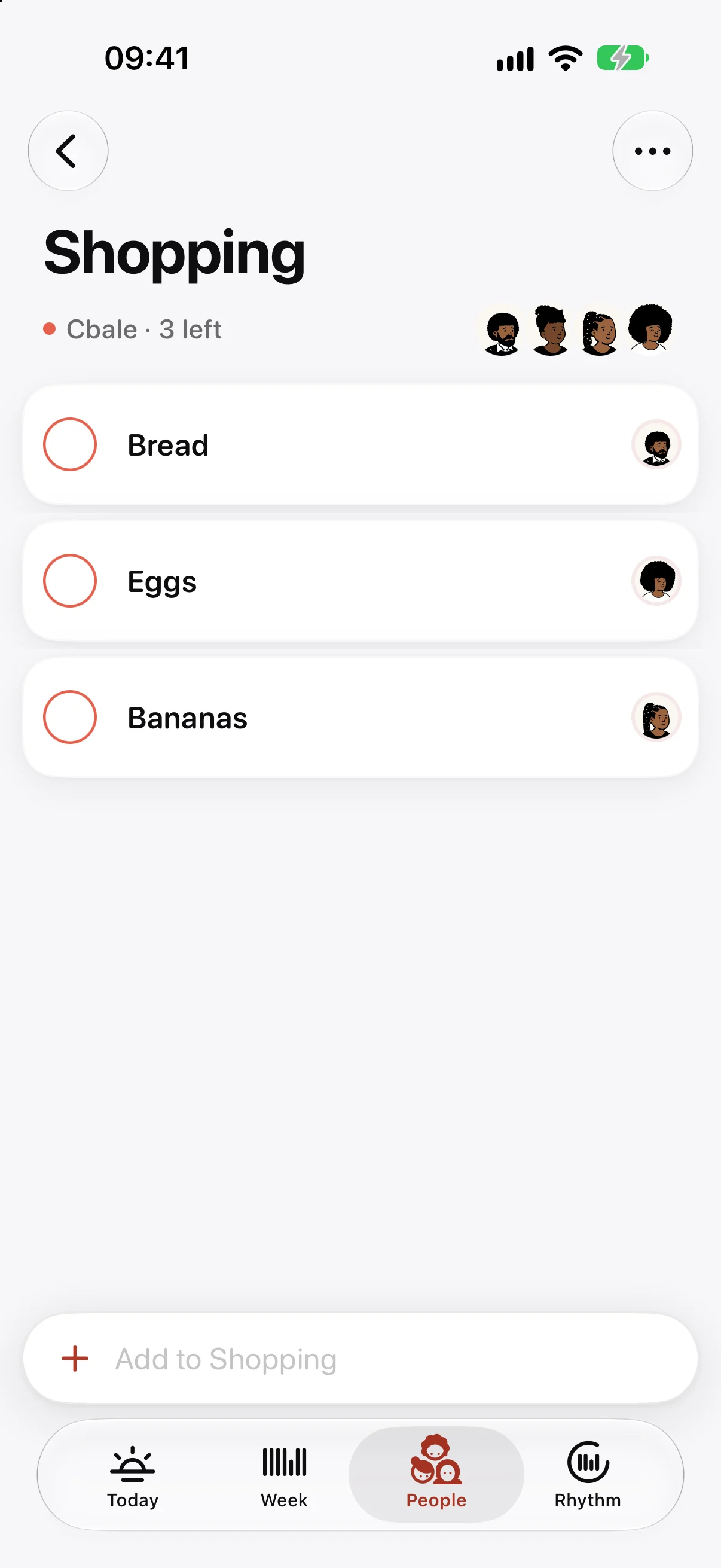
One shopping list between you.
Anyone in the group can add to a list, and each item carries the face of whoever added it. Ticked things fold away. Keep the weekly shop, a packing list for the holiday, or the things to sort before half-term.
If you plan the week’s meals in Ethos, a meal’s ingredients go onto the group’s shopping list in one tap.
Who’s kept it, on the Lock Screen.
When a shared routine is due, a Live Activity on the Lock Screen shows its time and everyone’s faces. Each face fills as that person keeps it, and when the last one does, it says so.
Cheers, nudges, notes and countdowns.
When someone keeps a routine, you can send them a cheer. When it’s their turn and the job is still waiting, you can send a nudge instead. Both arrive as quiet notifications, and you can mute anyone whose nudges you’d rather not get.
Pin a note for today, like “PE kit and a packed lunch for Iris”, and it sits at the top of Today for everyone in the group. Add a countdown to something you’re all looking forward to, and Today says how many days are left. Anyone in the group can add either.
If you’d like it, Ethos can send one notification at the end of the week with what you kept together and whose turn it is next. It stays off unless you turn it on.
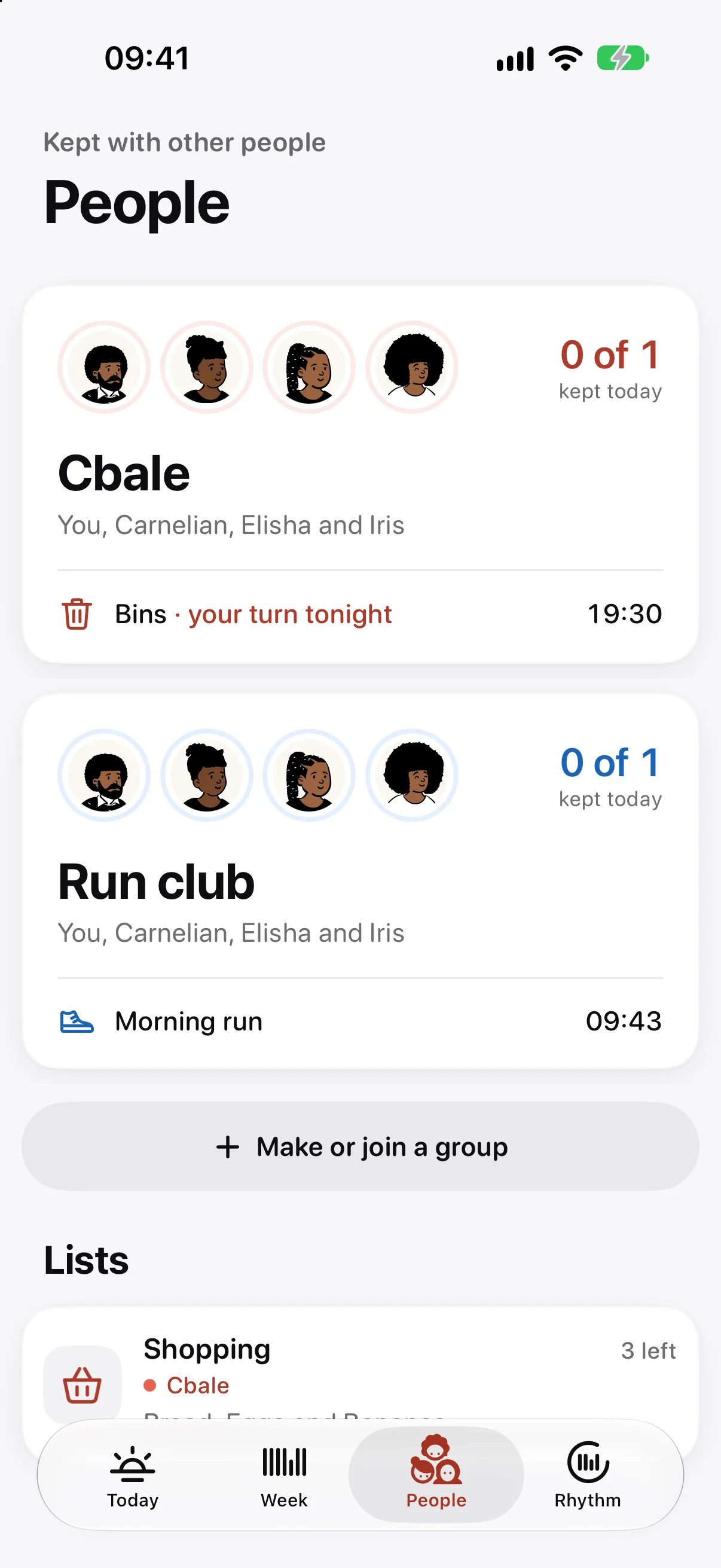
A family, a run club, or both.
Groups aren’t only for the house. Make one for the friends you run with, the flat you share or the grandparents who help with pick-ups. Each group gets its own colour, and People shows how each one is doing today.
Your own routine stays yours. A group only shares what you add to it, so Mum can keep her early swim to herself and still see that the bins went out.
Next to a shared calendar or the fridge whiteboard.
A shared calendar is good at appointments: the dentist, parents’ evening, a birthday party. It’s less good at the things that happen every week, because it can say the bins are due but not who took them out. A whiteboard on the fridge shows the week to whoever is standing in the kitchen, and nobody else.
Ethos sits between the two. Routines repeat on their own, each person ticks their part, and the rota moves on without anyone rubbing it out. You can still have today’s calendar events shown faintly beside your tasks, so you don’t have to give the calendar up.
Private, with nothing to sign up for.
There is no Ethos account and no Ethos server. A group is shared through iCloud, and you invite people with Messages, Mail or a link, so Ethos never sees who you asked. The app has no analytics, no advertising and no tracking.
On every Apple device, and free to start.
Ethos runs on iPhone, iPad, Mac and Apple Watch. On the watch, the faces of the people in your group sit above your own day.
The routine is free, and so is joining a group someone invites you to, so the rest of the house doesn’t need to pay for anything. Ethos Plus adds iCloud sync and a few extras, including making groups and inviting people. Prices are shown in the app.
Questions
Does everyone in the family have to pay?
No. Joining a group someone invites you to is free. Making a group and inviting people comes with Ethos Plus, and one purchase also covers your Family Sharing group.
Does everyone need their own device?
Yes. Each person in a group keeps their part on their own iPhone, iPad or Mac with Ethos, signed in to iCloud. Invitations arrive through Messages, Mail or a link.
Can the family see my whole planner?
No. A group shares its own routines, lists, notes and countdowns, and nothing else. If you choose to share your Rhythm, the group sees the number and which way it is heading, beside your name.
Can I be in more than one group?
Yes. You might keep one for the people you live with and another for the friends you run with.
What happens if someone leaves?
The group’s routines come off their Today. Whoever made the group keeps it, along with its lists, and can invite them again later.